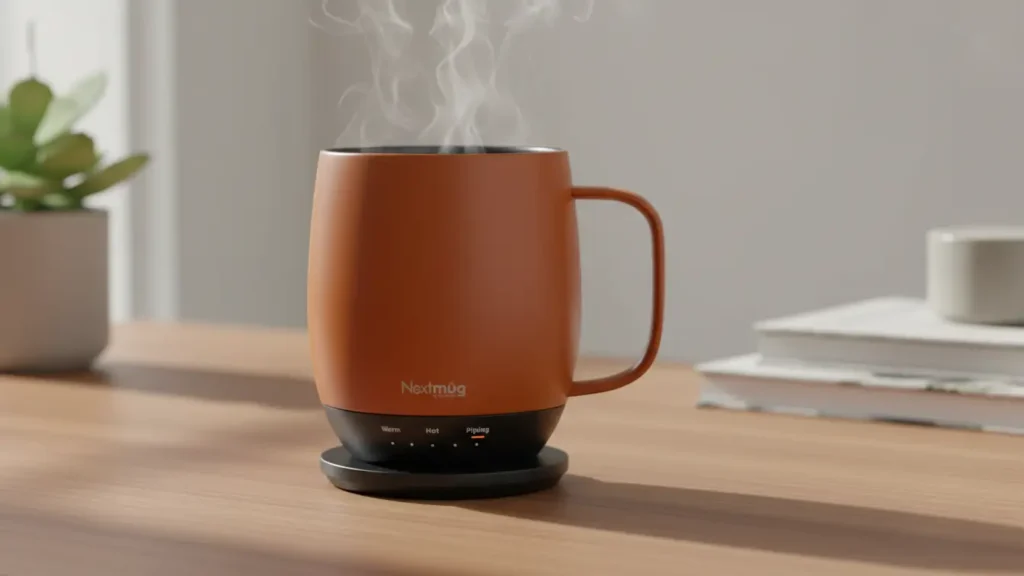
Quick Summary: Nextmug Heated Mug Review: Is It a Worthy Alternative to Ember?
- Content Type: Hand Tested Review
- Affiliate Link Present: Yes
Can this heated mug be the one that keeps your coffee warm without costing a fortune? I used the Nextmug heated mug for a full month, and now I’m here to give you my genuine take on it. This popular mug has already received a 4.2-star rating from more than 5,400 users—so let’s see if it lives up to the hype.
This self-heating mug has caught attention selling more than 200 units just in the last month. Many people who drink coffee tend to like it best at a temperature between 136° and 140°F, and the Nextmug makes this easy with three heat options: Warm at 130°F, Hot at 140°F, and Piping at 150°F. Its battery performs well too giving around 40 minutes on “Piping,” up to 1.2 hours on “Hot,” and about 1.4 hours on “Warm.”
With a price tag of about $100, the Nextmug comes in cheaper than its main rival Ember. But does that make it the better option? I checked how well it keeps drinks at a steady temperature. During testing, it maintained 130°F with no fluctuations. I also looked at the convenience of its spill-resistant lid and tested if the charging coaster provides endless heating while sitting on your desk. Plus, I’ll let you know if this -rated mug lives up to the hype and is worth becoming your go-to coffee buddy.
Some of the links on this website are affiliate links, which means I may earn a small commission if you make a purchase through them — at no extra cost to you. I only recommend products that I genuinely believe in, and my opinions are always honest. This is my way of keeping the site running while sharing helpful recommendations with you.

- ALWAYS THE PERFECT TEMPERATURE – The Nextmug will keep your hot coffee, tea or preferred beverage at the perfect tempera…
- SMART MUG TECHNOLOGY – Long-lasting battery maintains your ideal temperature. LED lights display battery life & real-tim…
- SUPER SIMPLE – On-board Control Button easily turns mug On/Off & sets the temperature. Takes only seconds to set the mug…
Nextmug Heated Mug: Main Specs and Unboxing Details
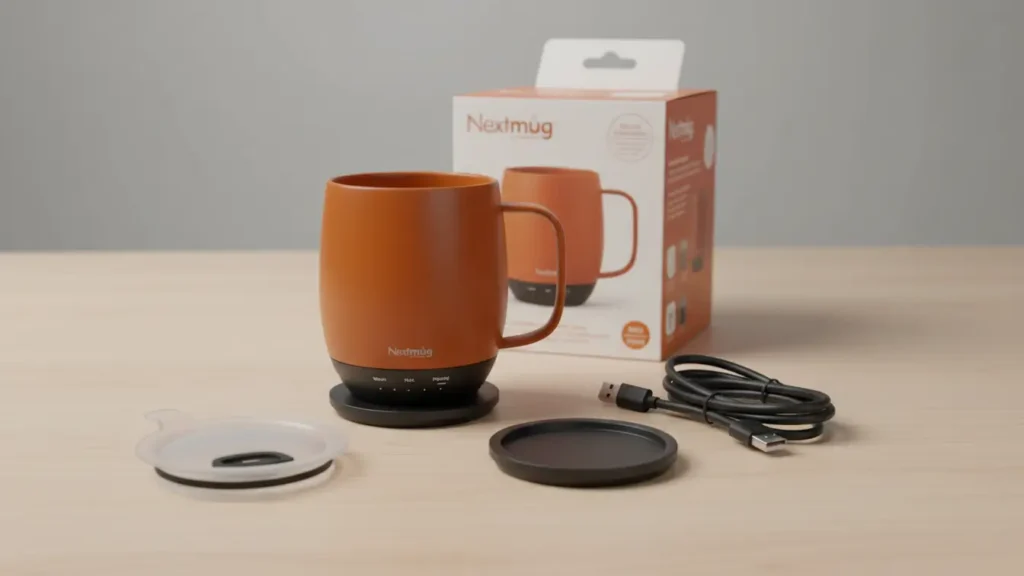
As I unboxed the Nextmug heated mug, the thoughtful design and high-quality materials stood out right away. Unlike some high-tech mugs that throw in too many complicated features, this one manages to combine practicality with simplicity.
Size and Durability
The Nextmug can hold up to 12 ounces of your drink, which works great for a typical coffee amount without needing constant refills. It uses a double-wall insulated design with a solid stainless steel interior that keeps your drink warm while feeling sturdy to hold. The outside has a smooth, matte finish that feels like ceramic and comes in four colors: black, white, blue, and pink.
What stood out to me was how the weight is balanced. At just 11.2 ounces when empty, it’s lighter than a lot of similar mugs but still feels strong and well-built. The handle is shaped to give a comfortable grip even when the mug is full. On top of that, the Nextmug is IPX7 waterproof rated so you can submerge it when washing it.
Options for Temperature and Control
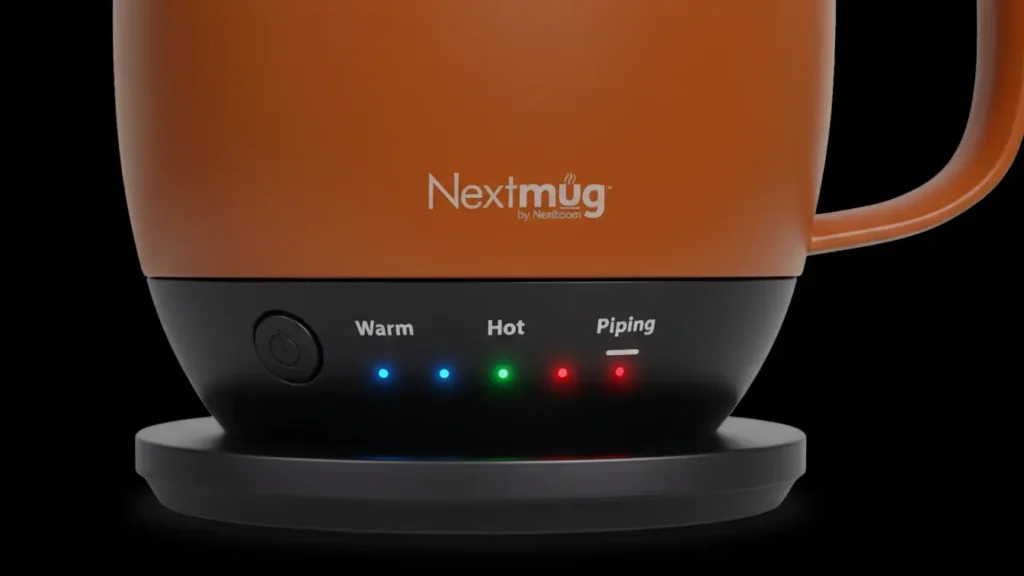
The Nextmug stands out because it keeps things simple with its reliable temperature control system. You can pick from three preset temperatures by tapping the button on the base:
- 130°F (54°C) to keep it Warm
- 140°F (60°C) to keep it Hot
- 150°F (65°C) to keep it Piping
It does not require an app like the Ember mug does for customization. The Nextmug is ready to use right away, no phone pairing needed. You can tell which temperature you’ve chosen by its color-changing LED light. Blue shows Warm, green shows Hot, and red shows Piping. This straightforward system made it very easy to use during the month I spent testing it.
Things That Come in the Box and How to Set It Up
In the box, you get the Nextmug along with a charging coaster that uses magnetic alignment, a spill-resistant lid with a clear surface, and a USB-C cable to charge it. Setting it up is easy—just place the mug on the coaster to charge for 90 minutes to get a full battery.
The charging coaster has a smooth stylish design that matches the mug’s look and lets it heat without stopping if it’s plugged in. The lid seals the mug but still makes it easy to sip through its spout. From the moment you open the box to your first use, setup takes less than 5 minutes. This is a relief compared to other smart home gadgets that often come with tricky setup processes.
Heating Performance: Does It Keep Coffee Hot Well?
Keeping a steady temperature is what sets top-tier heated mugs apart from average ones. I tested the Nextmug to check if it lives up to its promise of maintaining drinks at specific temperatures.
Testing the Heating: Starting at Room Temperature to 130°F
First, I filled the Nextmug with water at room temperature and adjusted it to the “Warm” setting, which is 130°F. During my initial attempt, the battery ran out before hitting the desired temperature. Frustrated, I charged it overnight to prepare for another round. The next day, I used the charging coaster and tried again. This time, it performed far better by reaching 130°F in about 30 minutes.
Testing the Battery Life: Three Hours of Use
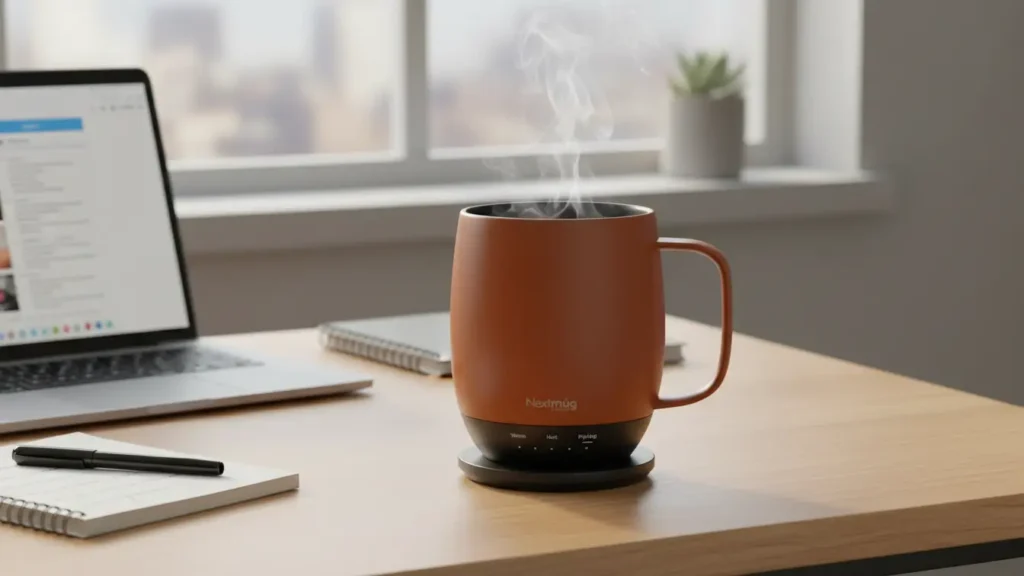
The Nextmug says it can keep your drink hot for up to four hours if you leave the lid on. During testing, it stayed warm for about three hours before dropping to 130°F. While it doesn’t live up to the four-hour promise, three hours of consistent warmth is still impressive. A regular mug, in comparison, can lose almost 40 degrees in just ten minutes.
Charging Coaster or Battery?
Using the Nextmug with its charging coaster makes a big difference. On the coaster, it keeps your chosen temperature steady without limits, which is great for leaving it on your desk. Without the coaster, the battery life changes depending on the temperature you set—it lasts longer at lower settings. I found it heated more when I kept it on the coaster.
Temperature Precision and Consistency
Nextmug gives users three temperature options to match individual tastes: Warm at 130°F, Hot at 140°F, and Piping at 150°F. Studies show most coffee lovers like their drink between 136°F and 140°F making the “Hot” choice stand out as practical. When I tested it with coffee brewed at 140°F on the “Hot” setting, the mug kept it steady at 143°F for an hour, which is just a bit above but very close to the ideal mark. The LED lights did a good job of showing battery levels and the current temperature during use.
The Nextmug holds heat when paired with its charging base, and it does a better job at temperature control than regular mugs that cool off .
User Experience: Design, Controls, and Everyday Use
How well a heated mug serves you shows its real worth when used , not just through its specs. Over my month-long trial, I found the Nextmug easy to figure out even though it has some unique design ideas.
Placement of Buttons and Using Them
The Nextmug has one control button located right below the logo. To view it, you need to lift the mug . Pressing the button lets you switch between temperature options. One press sets it to Warm at 130°F, a second press changes it to Hot at 140°F, and a third press goes to Piping at 150°F. Pressing it a fourth time turns the mug off. Its simple design means there is no need to mess with apps, create passwords, or fix issues. Still, I noticed the button sometimes felt a bit awkward to use in daily life.
Lid Design and Spill Resistance
The spill-resistant lid seals while having a small opening to drink from. During testing, it dripped even when tilted. Plus, using the lid almost doubles the battery life, which makes it great for longer use without the charging coaster.
Cleaning and Maintenance
You need to hand-wash this mug with warm water and mild soap. Never submerge it or put it in the dishwasher because of its electronic parts. The lid can go in the dishwasher though. Make sure both the mug and coaster are dried completely before charging to avoid connection problems.
Smart Mug Features: What’s Missing?
The Nextmug does not offer adjustable temperatures between preset settings like Ember’s app-connected system does. It also does not include features like “find my mug” or custom temperature preferences for various drinks. However, some users enjoy its straightforward and simple design.
Nextmug vs Ember: Which Heated Mug Should You Choose?
I tested both of these well-known self-heating mugs to figure out which one offers the best value. The contrasts between these two options might catch you off guard.
Price and Overall Worth
The Nextmug costs $129.95, which is about $20 less than the $149.95 price of the Ember mug. The price gap becomes interesting when you notice that Nextmug includes a travel lid in the box. Ember does not so you would need to buy that part . Both mugs perform the same basic functions, but Ember leans on extra smart features to explain its higher cost.
Battery Life and Charging
Ember shines in battery life working for about 2 hours when not on its charger, while Nextmug holds up for roughly 90 minutes. Ember also charges much quicker compared to Nextmug. That said, both mugs can keep your drink warm forever as long as they are sitting on their charging coasters.
App Control or Keeping It Simple
Choosing between these two depends on your tech preferences. The Ember mug uses an app to manage temperature between 120°F to 145°F. You can also create custom heat settings for specific drinks. On the other hand, Nextmug skips the app altogether. It offers three simple preset temperatures—130°F 140°F, and 150°F—controlled by pressing a button.
Looks and Design
These mugs differ in size and style. The Nextmug can hold 14 ounces, while the Ember holds up to 10 ounces. The Ember mug stands out with its polished and modern design that comes in several colors. Meanwhile, the Nextmug has a more casual and cozy style with a bigger handle.
Deciding What’s Right for You
Pick Ember to have exact temperature control and a high-quality design. Go with Nextmug instead if you want something straightforward and bigger without needing an app.
Conclusion
I spent 30 days testing the Nextmug heated mug, and I can say it’s a great product. It keeps drinks at a steady temperature, thanks to its handy charging coaster. The three preset temperature settings work well for most coffee lovers so I didn’t miss having more customizable options during daily use.
Though it has a few small downsides like where the button is placed and its battery not lasting as long as Ember’s, the Nextmug is super easy to use. You don’t have to deal with apps or complicated settings. Just press a button, and your coffee stays warm. The spill-resistant lid is a nice bonus and even helps the battery last longer.
Nextmug costs less and still holds its ground well. At about $100, it offers almost the same basic heating features as the more expensive Ember. However, it skips the added touch of app-based controls. On the plus side, its 14-ounce size means you won’t have to refill as often while working.
So, which one is the better pick? That depends on what matters to you. If you like advanced controls stylish looks, and adjusting temperatures down to the degree, Ember could be the right fit. On the other hand, Nextmug appeals to those who prefer simplicity, a larger size, and saving money while still getting reliable heating.
Overall, I recommend the Nextmug heated mug as the best choice for most coffee lovers. It may not be flawless, but it gets the basics right and comes at a lower price than its high-end rival. This well-designed mug has made my morning coffee much better, and it could do the same for you too.