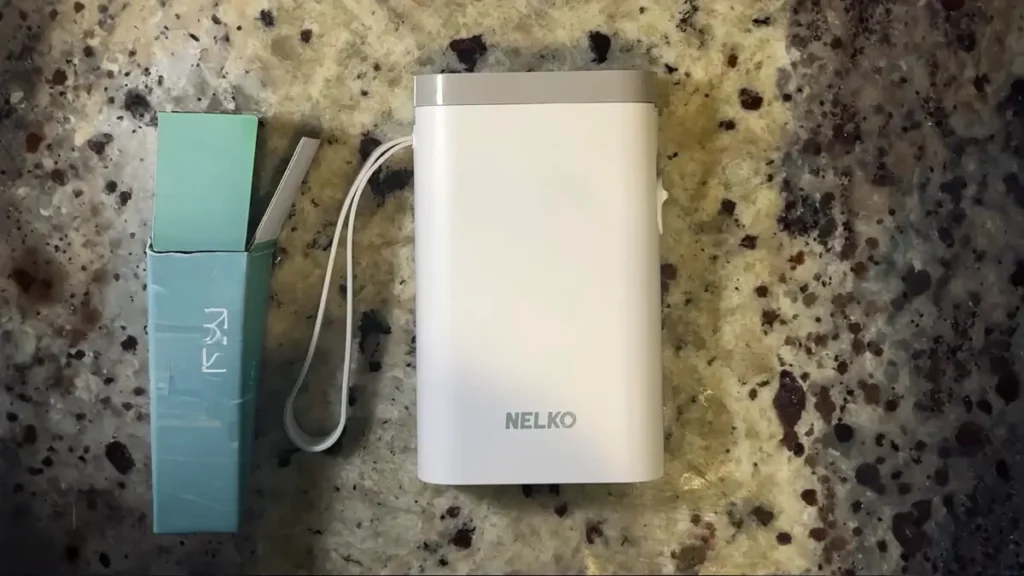
Quick Summary: Nelko P21 Bluetooth Label Printer Review: Lesson Learned
- Content Type: Hand Tested Review
- Affiliate Link Present: Yes
The Nelko P21 Bluetooth label printer rests on a desk surrounded by a laptop, a few labeled boxes, and printed stickers under gentle natural light.
Need a pocket-sized Bluetooth printer that gets the job done? When I first picked up the Nelko P21 Label Maker, I doubted its capabilities, but it changed my mind with how much it could handle.
With its compact size of 6.65 x 4.5 x 1.9 inches and a lightweight design at 11.3 ounces (320g), this portable Bluetooth printer brings a lot of features for something so small. I tested multiple Bluetooth label printers and found the P21 stood out. It offers the ease of a tiny Bluetooth printer combined with decent print quality at 203 DPI. Most portable options sacrifice performance, but this one produces sharp neat labels that last. Plus, each roll runs around $3 on Amazon and can make about 160 stickers. For those wanting to get organized without overspending, it might be “the BEST VALUED label printer ever made.”
Some of the links on this website are affiliate links, which means I may earn a small commission if you make a purchase through them — at no extra cost to you. I only recommend products that I genuinely believe in, and my opinions are always honest. This is my way of keeping the site running while sharing helpful recommendations with you.

- 2025 New Version: Compared with the traditional label makers, half weight and size of the traditional label maker, small…
- High-quality Printing: Label Makers with BPA-Free Direct Thermal Technology. Equipped with high-speed chips and 203 DPI,…
- Easy to Use: NELKO label printer compatible with IOS & Android Phone via bluetooth connection. Step 1: Download “Nelko” …
Nelko P21 Label Maker Features and Design
The Nelko P21 rethinks the typical label maker approach by balancing simplicity with practicality. After using it for a month, I’ve grown to admire its smart design and solid technical features.
Size, Weight, and Durability
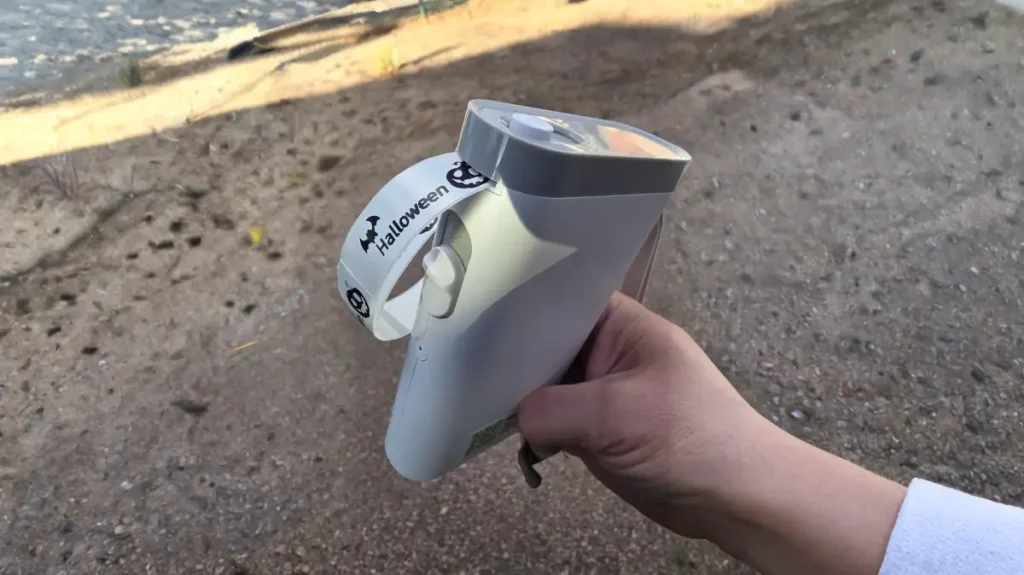
The P21 is 3.74 inches by 1.65 inches by 6.3 inches in size and weighs just 9.1 ounces. It’s small almost pocket-sized. Compared to standard label makers, it is about half their size and weight making it portable. I found it easy to carry. You can toss it in your bag or even a pocket, and it won’t feel like it’s taking up much room.
I found the build quality impressive during my testing. Even though it is lightweight, the P21 feels solid and well-built. Its simple white design (you can choose other colors too) gives it a modern and clean look that fits in most office setups. One small issue is that it might get scratched if you toss it into a bag without a case.
Bluetooth 4.0 and USB-C Charging
The P21 connects using Bluetooth and pairs with iOS and Android devices through the Nelko app. During the month I tested it, the connection stayed reliable, with very few interruptions even as I moved between rooms.
The P21 comes with a rechargeable battery you can power up through USB-C. This setup means you do not have to worry about disposable batteries anymore. It helps save money in the long run and is better for the environment. When I tested it, one full charge kept it running for several days of off-and-on use. This is great for anyone who needs it to work well without access to power outlets.
No Ink Needed: Thermal Printing
A standout feature of the P21 is its BPA-Free Direct Thermal Technology. Instead of relying on pricey ink cartridges like standard printers, it produces clear labels by heating special thermal paper. This clever design ensures you will not need to spend money on ink or toner again.
The P21 offers a decent print quality at 203 DPI. I noticed it works well to produce sharp legible labels even when using smaller fonts. Its thermal printing method operates and manages to create crisp black text on label tape. But keep in mind, the P21 prints in black and white. It does not support color printing.
Features That Make the P21 Unique
Using the Nelko P21 every day for a month helped me uncover some features that make this portable label maker different from others in its category.
Print Quality and Speed at 203 DPI
The P21 prints labels at 203 DPI creating sharp and easy-to-read results even with tiny text. Its resolution, along with a top print speed of 60mm per second, lets me produce sleek professional labels in no time. During my testing, the thermal printing tech delivered clear and bold black text that didn’t smudge or fade. Because it doesn’t use ink, I avoided the costs and hassle that come with regular printers.
App Features: Customization Options
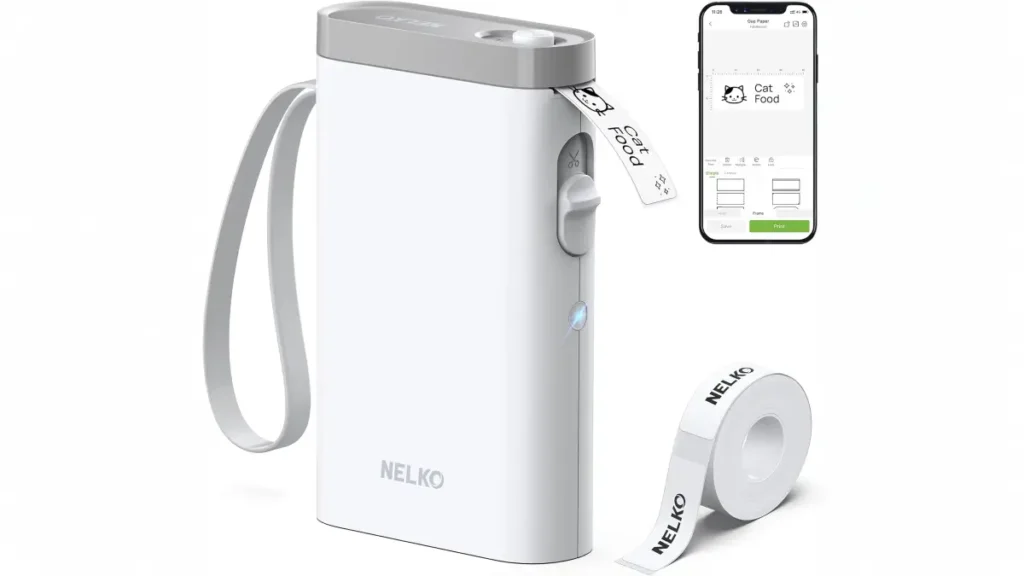
The Nelko app that pairs with this Bluetooth printer adds so much more than just basic labeling. It provides tons of ways to personalize such as:
Over 90 fonts and support in 14 languages
Access to 400+ borders and design features
QR code and barcode creation features
The app also includes a variety of templates that help you create customized labels for different uses. I found this super handy when I needed to whip up labels for stuff around my home office. , the interface got an update, and now it feels even simpler to use.
Label Dimensions Supported: 12x40mm to 14x75mm
This compact Bluetooth printer is quite versatile. The P21 supports a range of label sizes, from 12x40mm up to 14x75mm, which gives you options for different labeling tasks. Each roll comes with about 180 labels, so it lasts a while and is cost-effective. A key thing to note: the P21 is compatible with fixed-length labels and doesn’t work with continuous label rolls.
Features: Built-in Cutter and Manual Calibration
My top practical feature has to be the built-in manual cutter. You just slide a button on the front, and it slices through the printed label. This means you don’t need scissors anymore. The manual calibration function solves alignment problems when they come up. If the labels start printing out of line, you just tap the Power or Feed button once, and the printer recalibrates itself. During my tests, this small but handy feature saved me from a lot of annoyance.
What It’s Like After 30 Days of Use
Spending a whole month with the Nelko P21 gave me a perspective you don’t get from quick first looks or unboxing reviews. I pushed this little Bluetooth printer to its limits with my daily labeling routine.
Ease of Use and How Easy It Is To Learn
Setting everything up was super simple. After opening the box, I got the Nelko app loaded the label paper, and connected to Bluetooth. In just a few minutes, I was already printing my first labels. New users will like how easy it is to get started even without reading a long guide.
Mobile App Stability and Bluetooth Connection
At first, the app connected to the printer . It paired up as soon as I turned on the device. However, I did notice the connection would sometimes drop. If Android users face issues updating to Nelko App version 2.3.0 or newer and switching to a BLE connection fixes most problems. iOS users might need to reset the printer’s Bluetooth. To do this, open the paper bin cover and press the power button three times.
Label Strength and Stickiness
After one month of use, the labels kept their clean and professional look. The thermal text stayed sharp and easy to read the whole time. The labels stuck well to most surfaces, though they sometimes had trouble sticking to certain kinds of textures. In general, the stickiness worked fine for basic organization tasks.
Frequent Problems and Solutions
Here are some common problems and ways to solve them:
- Problems with Bluetooth linking: Fix it by pressing the power button three times while the cover stays open.
- Fuzzy print quality: Clean the print head using isopropyl alcohol to improve it.
- Labels printing off-center: Double-tap the power button to adjust the alignment.
- Blank or printed labels: Look for jammed paper or check if the roll is put in the right way.
Cost and Worth: Is This the Top Budget Label Maker?
One of the strongest points of the Nelko P21 is its price. As someone mindful of spending, I was impressed by how much this small gadget provides for its cost.
Full Price Compared to Discounts
The Nelko P21’s price tag changes quite a bit depending on where you check. Although listed at a full price of $124.99, I often saw it offered for much less. For example, Staples sells it at $23.89, and Amazon’s prices range from $29.99 to $65.99. During my time using the product, I even stumbled upon deals as low as $20 making it a much cheaper choice than many other options in its category.
Price of Replacement Label Rolls
Replacing label rolls doesn’t cost much. You can buy a standard 3-pack of Nelko original label rolls, with each roll containing 180 labels, for about $15.99. This means one label costs close to 3 cents, which is much cheaper than systems that rely on ink. With thermal printing technology, there’s no need to buy ink , which makes it an even better option over time.
Table: Comparing Nelko P21, Brother PT-N25BT, and Dymo LabelManager
| Feature | Nelko P21 | Brother PT-N25BT | Dymo LabelManager |
|---|---|---|---|
| Retail Price | $23.89-$65.99[233] | $40.00 | Similar to PT-N25BT |
| Replacement Cost | $15.99/3 rolls | $7.00/roll | Higher than Brother |
| Connectivity | Bluetooth | Bluetooth | Often wired |
| Print Technology | Thermal | Thermal | Thermal [251] |
| Portability | Extremely portable | Good |
Who Should Consider Buying the Nelko P21?
The P21 works great when students need to label school items, parents want to organize things at home, or small business owners look for low-cost labeling options. Its balance of cost and performance delivers great value to casual users who care more about portability than fancy features. So, if you’re after simple and fast labels on a budget, the Nelko P21 beats other options in the same price range.
Conclusion
After spending a month with the Nelko P21, I’ve decided it’s here to stay in my home office. Its lightweight design thermal printing tech, and friendly price make it stand out in a market full of similar products.
What stood out to me the most was how well this small device balanced size with function. It is compact but manages to produce clear 203 DPI labels without dropping print quality, which isn’t something you get with chunkier options. The app that goes with it offers plenty of ways to adjust settings to fit your needs. However, I had to reset it a few times because the connection wasn’t always stable during my tests.
The battery performed better than I expected. One full charge kept it going for several days of light-to-moderate labeling, which makes it a good fit for organizing things at home or handling small business tasks. Plus, its thermal printing setup means there’s no need to worry about running out of ink when you need it.
Budget-minded buyers will like the P21’s affordability. At around $3 for a roll of 180 labels (just about 3 cents each), it costs much less than brands like Brother or Dymo. The upfront cost is also pretty manageable if you grab it during one of its many sales.
That said, the P21 has its flaws. Labels don’t always stick well to textured surfaces, and the small selection of label sizes could annoy users with specific needs. Even so, these small issues are minor compared to the solid value and usefulness the device offers.
I recommend the Nelko P21 to anyone looking for a budget-friendly and portable label printer. It works great whether you need to organize your home office, get ready to go back to school, or make managing a small business easier. This small thermal printer gives solid results without costing too much.